 +918918043592
 contact@ecodertechnology.com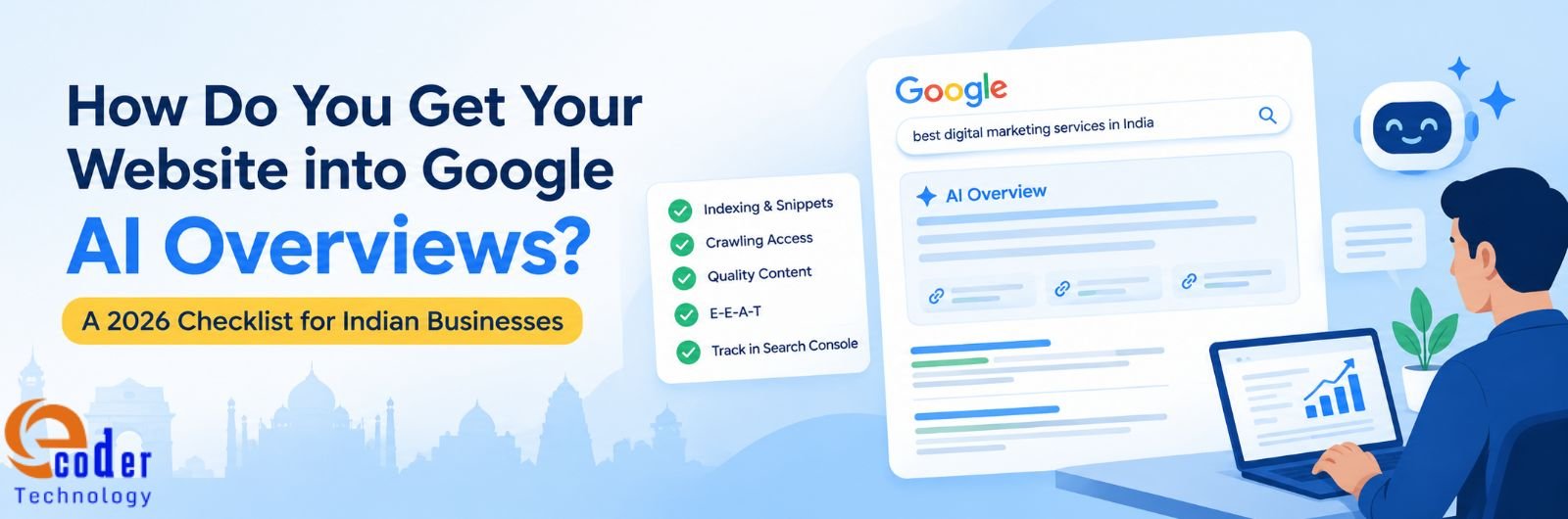
According to Google, appearing on AI Overviews and AI Mode does not need any additional technical requirements or special markup. The page, in question, must be indexed, eligible to show a snippet, and contain useful information.
If this is so simple, then why do only a select few pages show up on Google AI Overviews? Getting cited in AI Overviews requires strong SEO friendly pages with authentic content that meets Google E-E-A-T requirements. While most businesses understand the requirement, many fall short of actually meeting them.
This guide gives Indian businesses a 10-point checklist, explains which searches trigger AI answers, and shows how to measure results in Search Console, which now has a dedicated generative AI report.
What are Google AI Overviews and How Do They Differ from AI Mode?
AI Overviews by Google are short generated queries that are displayed over the traditional SERP results for certain queries and are accompanied by the links to their sources. AI Mode is a separate conversational experience built for longer questions, comparisons and follow-ups.
As per Google, both can use query fan-out (the act of issuing several related searches across associated subtopics before compiling an answer). As a result, the links shown can differ from the traditional results page. Further, AI Overviews are triggered only when the system feels that a set of compiled answers is helpful on top of the classic results.
A quick and simple comparison between the two is as follows:
| Feature | AI Overviews | AI Mode |
| What it is | A generated summary shown with some results | A conversational search experience for deeper questions |
| Best suited to | Getting the gist of a complex topic quickly | Exploring, reasoning and comparing options |
| Uses query fan-out | Yes | Yes |
| Appears when | Google judges a summary adds value; it often does not trigger | The user opens AI Mode |
| Reported in Search Console | Yes, in the Generative AI performance report | Yes, in the Generative AI performance report |
Table 1: AI Overviews and AI Mode compared
Is Any Form of Special Optimisation Required for AI Overviews?
As per Google’s guide for developers, the page needs to be indexed and eligible for Search with a snippet. No additional technical requirements apply here. Its July 2026 guide to generative AI features adds that these features draw on the same ranking and quality systems as classic Search.
The same guide also lists steps that you can skip:
- Creating llms.txt or other AI-specific files. Google Search does not use them.
- Adding special schema.org markup for AI features. Structured data still supports rich results, but AI Overviews do not require it.
- Rewriting pages in a particular style for AI systems.
- Chasing inauthentic mentions on other sites.
In practice, getting into AI Overviews overlaps with ranking in classic Search. A page that Google cannot crawl, index or understand cannot be cited, and a page with nothing original gives Google no reason to cite it.
Which Searches on Google Trigger AI Overviews?
A Pew Research Center study tracked 900 US adults and 68,879 Google searches in March 2025. It found that 18% of searches produced an AI summary and how the query was phrased played a direct role.
- 8% of one- or two-word searches produced a summary, against 53% of searches with ten words or more.
- 60% of searches that began with who, what, when or why produced one.
- 88% of summaries cited three or more sources.
While the data covers US users and predates Google’s 2026 changes, the inference is still valid. Intent-based full-sentence queries (predominantly questions) trigger AI Overviews.
The 10-Point Checklist to Get Cited in AI Overviews
This checklist first covers what makes a page “eligible” and then addresses how it is selected out of the hundreds of other eligible pages.
1. Confirm the Page is Indexed and Snippet Eligible
Use the URL Inspection Tool in Google Search Console and confirm that Google has indexed the page. Check that no noindex or nosnippet directive removes it from snippets. Keep in mind that indexing is never guaranteed, even for compliant pages.
2. Allow Crawling at Every Layer
Google lists crawl access in robots.txt and in any CDN or hosting layer. Ask your host whether a firewall or bot-protection rule blocks Googlebot, and remove staging robots.txt files. In case robots.txt is not available for your site, add it.
3. Check the Search Generative AI Setting
Open Settings in Search Console and find Search generative AI. The default includes your site. If someone excluded it, your links and content cannot appear in AI Overviews or AI Mode.
4. Answer the Main Question in the First 100 Words
Put a direct two-sentence answer under the headline, then add depth below it. AI assistants break pages into smaller pieces and assemble answers from several sources, so a self-contained opening is easy to lift.
5. Use Question-Style Headings
Write H2s and H3s as the questions people ask. For instance, write “How much does SEO cost in India?” rather than “Pricing for SEO services”. Additionally, each section should make sense when read alone.
6. Cover the Fan-Out Questions in One Page
Map the sub-questions behind your topic and answer them in one thorough page. Do not publish a separate page for each variation of the same topic since Google treats that as scaled content abuse where the aim is to manipulate rankings or AI responses.
7. Add Information that Other Sites Lack
Google separates commodity content, such as generic tip lists, from non-commodity content which is built on first-hand experience. For an Indian agency, this means client results with numbers, local pricing, and authentic testimonials.
8. Show Who Wrote the Page and When
Name the author, list real credentials, and display a last-updated date on respective pages. Google’s guidance centres on helpful, reliable, people-first content, and a named, dated page gives readers reasons to trust it.
9. Keep Business Profiles Accurate
Business Profile and Merchant Center details can feed AI responses that show local businesses and products. Match your name, address, hours and services across Google Business Profile, your website, and Bing Places.
10. Keep Key Facts in Visible Text
Important content must appear in textual form. A figure that lives only in an image, PDF or script-driven counter might not reach the system.
At a glance, these 10 can be summarised as follows:
| # | Action | Where to check | Pass condition |
| 1 | Indexed and snippet-eligible | URL Inspection in Search Console | Page shows as indexed; no noindex or nosnippet |
| 2 | Crawling allowed | robots.txt, CDN and host settings | Googlebot reaches the page |
| 3 | Search generative AI setting | Search Console Settings | Set to include your site |
| 4 | Answer in the first 100 words | The page itself | Two-sentence direct answer under the H1 |
| 5 | Question-style headings | H2 and H3 tags | Headings read as customer questions |
| 6 | Fan-out coverage | Your list of related questions | Sub-questions answered on one page |
| 7 | Original information | Draft review | Client results, local prices or your own data |
| 8 | Author and date | Byline and update line | Named author, credentials, last-updated date |
| 9 | Business profiles | Google Business Profile and Bing Places | Details match the website |
| 10 | Visible text | Page source | Key figures sit in HTML text |
Table 2: The 10-point AI Overviews checklist
What Does an AI-Ready Page Look Like?
Let’s assume there is a page about the cost of SEO for an Indian small business. A page built for AI Overviews has five parts:
- A question as the heading: How much does SEO cost for a small business in India?
- A two-sentence answer directly below, stating the range and what it depends on.
- A short table of price bands by project size, built from your own client data.
- Three or four sub-sections answering the fan-out questions, such as what the price includes, how long results take and what changes the cost.
- A named author, a last-updated date and a link to the source behind every figure.
Keyword repetition, a padded introduction and a separate page for each phrasing is unimportant and should often be avoided.
How Do You Measure Results in Search Console?
Search Console’s Generative AI performance report reached all websites worldwide on 31 August 2026. It shows impressions from AI Overviews and AI Mode, and groups them by page, country, date and device for ever website.
To start, set a baseline before making any changes. Record your five pages with the most AI impressions, make your changes, and compare after 30 days. Screenshot the report too, so you have the original figures.
Expect clicks to behave differently from rankings. In Pew’s data, users clicked a traditional result in 8% of visits when a summary appeared and 15% when none did, and clicked a link inside the summary in 1% of visits.
As per Google, clicks from pages with AI Overviews tend to be higher quality, meaning visitors spend longer on site. Track conversions and engaged time in Google Analytics, not sessions alone.
Which Mistakes Keep Indian Websites Out of AI Overviews?
The following keep websites out of Google AI Overviews:
- Publishing thin explainers that repeat the top ten results.
- Blocking Googlebot through a firewall, a CDN rule or a staging robots.txt.
- Burying the answer beneath a long introduction.
- Showing key numbers only in images, sliders or script-driven counters.
- Leaving the author as admin, with a placeholder photo.
- Letting address, phone number or service details differ between the website and business profiles.
Each of these can be fixed fairly easily. Start with the page that already earns your best leads.
Wrapping Up: What Should an Indian Business Do in the Next 30 Days?
On week one, audit indexing, robots.txt and the Search generative AI setting for your ten most important pages. Earmark week two for rewriting each opening to answer the main question in two sentences, and turn headings into questions.
On week three, add one original asset per page, such as a client result, a local price range or your own data. Finally, record the Generative AI performance report on week four as your baseline and review it monthly.
This is often the first order of business when you reach out to expert teams requesting an SEO audit. As an Indian business, run this audit end-to-end from indexing checks to answer-first rewrites. For expert assistance, feel free to reach out to Ecoder Technology.
Frequently Asked Questions
How Long Does a New Page Take to Appear in AI Overviews?
Google gives no timeline. A page must be crawled and indexed first, and Google notes crawling can take anywhere from several days to several months. Indexing is never guaranteed. You can request a recrawl after major changes.
Do Images and Videos Help a Page Appear in AI Overviews?
They can. Google says its generative AI features can bring in relevant images and video, which gives your site more ways to appear beyond text links. Add high-quality visuals only where they genuinely help readers understand the topic.
Is There an Ideal Page Length or Format for AI Overviews?
There is no ideal page length and no need to split content into tiny pieces for its systems. Build for your audience, using clear headings and logical sections that suit the subject.
Does Search Console Report AI Features in Google Discover?
Yes, Google provides a generative AI performance report for Discover alongside the Search version, and the Search generative AI control also covers generative features in Discover. Check both reports if Discover brings meaningful traffic to your articles.


